House of Guilt Controls & Settings
PC, Mobile, and Console inputs with horror-friendly audio and graphics tips.
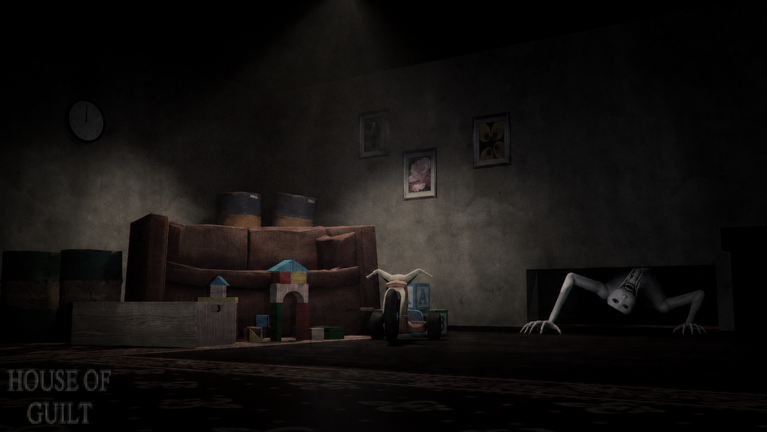
House of Guilt [ALPHA] supports Mobile, PC, and Console in servers of up to 30 players. This guide covers the control expectations for a survival/escape horror loop—move, look, interact, hide under pressure—and the settings that make Guilt chases readable without jumping straight to risky scripts.
If you are brand new, pair this page with Getting Started. If chases already feel unfair, jump to Survive Guilt after you fix audio.
Universal habits (every platform)
- Bind comfort > default pride. If crouch or interact feels awkward, change it before a serious teddy attempt.
- Keep interact distinct from jump. Misclicks during power/hatch commits cause deaths.
- Practice a “stop and listen” button rhythm. Survival often means releasing movement for a second.
- Do not fight the camera during hides. Wild flicking can bob your character or spoil quiet angles.
- Know how to open the Roblox escape menu quickly if you soft-lock in ALPHA geometry—prefer leave/rejoin over noclip on a main (ESP Survival).
PC controls overview
Typical Roblox PC expectations apply:
| Action | Common default | Horror tip |
|---|---|---|
| Move | WASD | Short tap moves > permanent sprint in quiet wings |
| Camera | Mouse | Lower sensitivity slightly for hide peeks |
| Interact / prompt | E (or click) | Stand still when confirming power/hatch prompts |
| Jump | Space | Avoid jump-spam; noise and camera bob hurt stealth |
| Crouch / stealth (if available) | Left Ctrl or C | Use before rounding loud corners |
| Push-to-talk / chat | platform dependent | Mute mic during Close Call windows |
PC settings checklist
- Cap FPS to a stable number if tearing distracts you.
- Disable unnecessary overlays (Discord overlay can hitch at the worst time).
- Use wired audio when possible for directional footsteps.
- Consider borderless window if Alt-Tabbing to the Full Walkthrough mid-knowledge run.
Mobile controls overview
Mobile clears are absolutely viable—the experience advertises phone support—but thumb layouts need intentional setup.
| Control | Suggestion |
|---|---|
| Move thumbstick | Shift slightly for comfort; avoid covering the interact button |
| Camera drag | Practice slow peeks; avoid 360 flicks in closets |
| Jump / interact buttons | Separate them so chase panic does not waste inputs |
| UI scale | Increase just enough to hit prompts without covering sightlines |
Mobile horror tips
- Play with headphones—phone speakers destroy directional audio.
- Lower graphics if thermal throttling causes hitch deaths mid-chase.
- Enable Do Not Disturb so a notification does not freeze focus during hatch commits.
- Hold the device in landscape with stable grip; portrait play usually hurts camera control.
- If brightness is too low outdoors, move indoors before blaming the game—then try legitimate brightness before fullbright cheats.
Console controls overview
Controller players get steady aim sticks and fewer accidental touches than Mobile, but menus can be slower.
| Input | Horror tip |
|---|---|
| Left stick move | Walk when audio is uncertain |
| Right stick camera | Drop stick sensitivity one notch for hide peeks |
| Face button interact | Confirm prompts deliberately |
| Triggers / bumpers | Learn which is sprint vs alternate actions in your layout |
| Guide/home button | Know the quick leave path if ALPHA soft-locks |
Console users generally cannot run PC executors. Lean on this controls page, Tier List hide ranks, and legitimate settings—your path to The Teddy Escape Route is skill-based.
Horror settings: graphics
Darkness is part of the fantasy, but unreadable sludge is not helpful.
Try first (legitimate)
- Raise Roblox graphics quality gradually until props are readable without melting your device.
- Disable overly aggressive blur/bloom if your platform offers post-process toggles via device performance modes.
- Avoid ultra particles if they hide doorframes during chases.
- On PC, ensure your monitor’s black-level/gamma is sane—crushed blacks hide Guilt silhouettes.
Avoid as a first answer
- Client fullbright hubs on a main account (Scripts Hub).
- Filming with max gamma then calling the game “not scary”—you may be erasing designed contrast.
Horror settings: audio
Audio wins badges. Close Call and everyday survival depend on it.
- Headphones preferred on every platform.
- Raise sound effects relative to music when possible.
- Keep voice chat volume from drowning footsteps.
- Test a quiet room listen at the start of each session—ALPHA patches can retune mixes (Updates).
- If you stream, use a monitor mix that still lets you hear directional cues even if the stream compression is muddy.
Accessibility and comfort
- Take breaks. Jump-scare fatigue causes reckless peeks.
- If motion sickness hits, lower camera shake sensitivity where available and widen FOV cautiously on PC.
- Colorblind players should not rely solely on subtle light color shifts—pair visuals with audio always.
- Photosensitivity: horror stingers and flicker lights exist; use platform comfort settings and personal limits.
Controls mistakes that cause First Blood
- Holding sprint while “hiding” near a doorway.
- Spamming jump in closets.
- Mis-tapping interact and canceling a power action, then panicking.
- Ultra-high mouse/stick sensitivity that overshoots peeks into Guilt’s face.
- Ignoring platform UI that covers the center of the screen on Mobile.
Session start routine (2 minutes)
- Confirm platform controls feel right in a safe room.
- Verify headphones and effect volumes.
- Set graphics to a stable readable level.
- Remind yourself of the loop: explore → hide → objectives (Getting Started).
- Queue for the run—public for chaos practice, friends for Teddy Escape Ending attempts.
Related pages
- Getting Started — first-hour plan
- Survive Guilt — apply these settings under chase pressure
- Full Walkthrough — objective order once controls feel natural
- Guides Hub — all tutorials
- Links — official experience page
Good controls will not clear Ending 1/3 alone, but bad controls will sabotage every attempt. Stabilize inputs and audio first, then earn Power Restored, Hatch Opened, and the rare teddy badge with a calm client.
Frequently Asked Questions
Quick answers about endings, Guilt, and escaping the house.
Is House of Guilt playable on Mobile and Console?
Yes. The experience supports Mobile, PC, and Console. Adjust UI scale and sensitivity so interact prompts stay reliable under chase pressure.
What setting matters most for survival?
Audio. Headphones and clearer sound effects help you hide before Guilt enters your doorway.
Should I max graphics for horror?
Only if your device stays stable. Hitching mid-chase is worse than slightly lower fidelity. Prioritize readable props and steady frame times.
Can console players use ESP scripts?
Generally no. Console clients do not support typical PC executors. Use legitimate settings and the Survive Guilt guide instead.
What should I do if I soft-lock?
Leave and rejoin the server. Avoid noclip on your main account while the game is still in ALPHA.